Free Chrome Extension
Turn any webpage into an audiobook
MurMur reads articles, docs, and Google Docs aloud with real-time word highlighting. Privacy-first. No account needed.
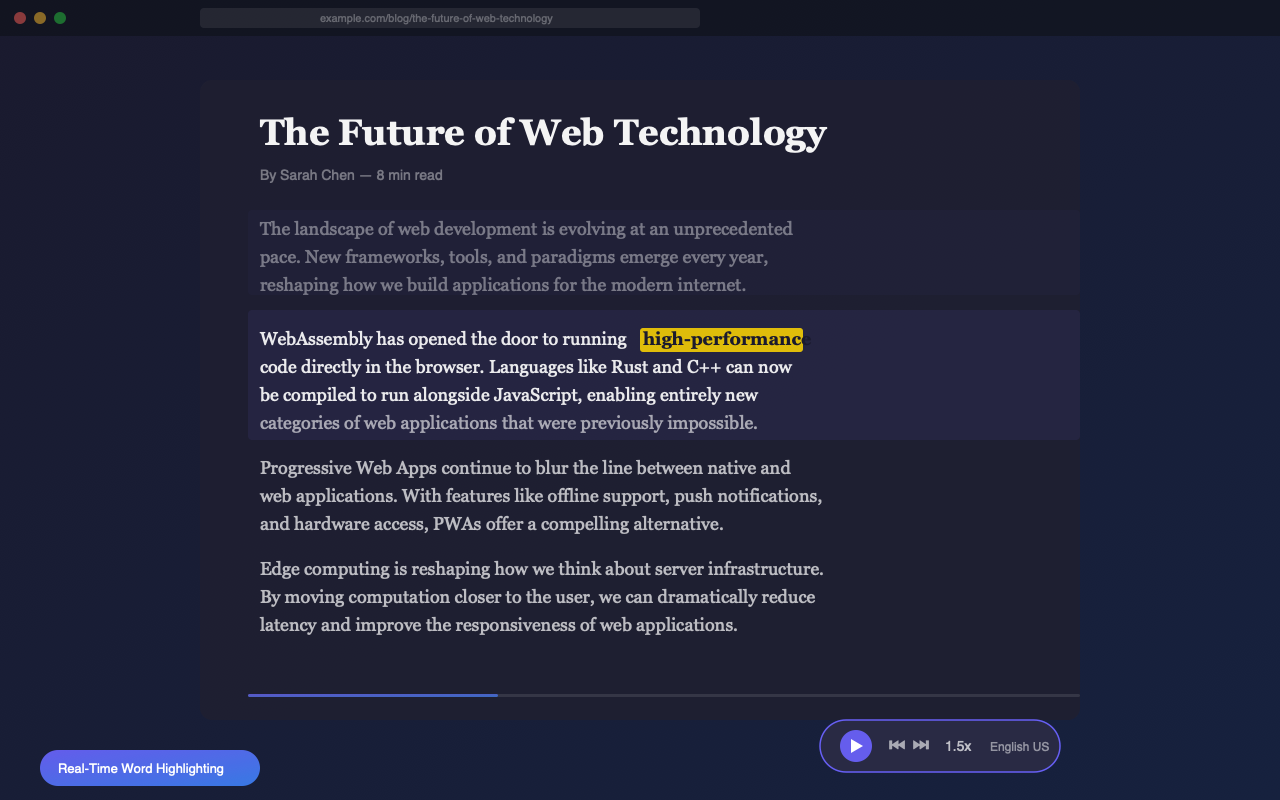
MurMur reads articles, docs, and Google Docs aloud with real-time word highlighting. Privacy-first. No account needed.
One click to start listening. Works on news, blogs, documentation, Google Docs, and any page with text.
Click the icon or press Alt+Shift+R on any webpage. MurMur extracts the article, strips away clutter, and starts reading instantly.
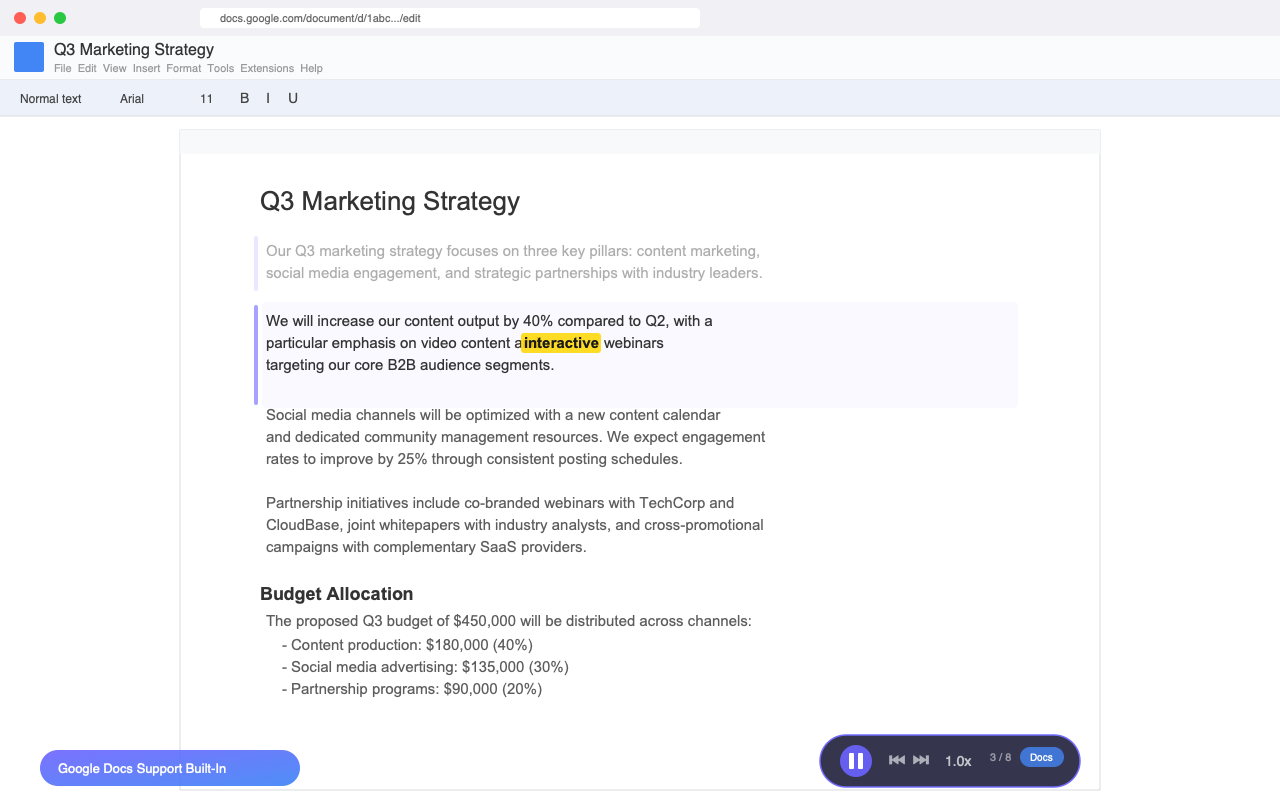
One of the few TTS extensions that works with Google Docs. A "Read Aloud" button appears right in your toolbar.
Every word lights up as it's spoken. The current word is highlighted in yellow so you always know exactly where you are.
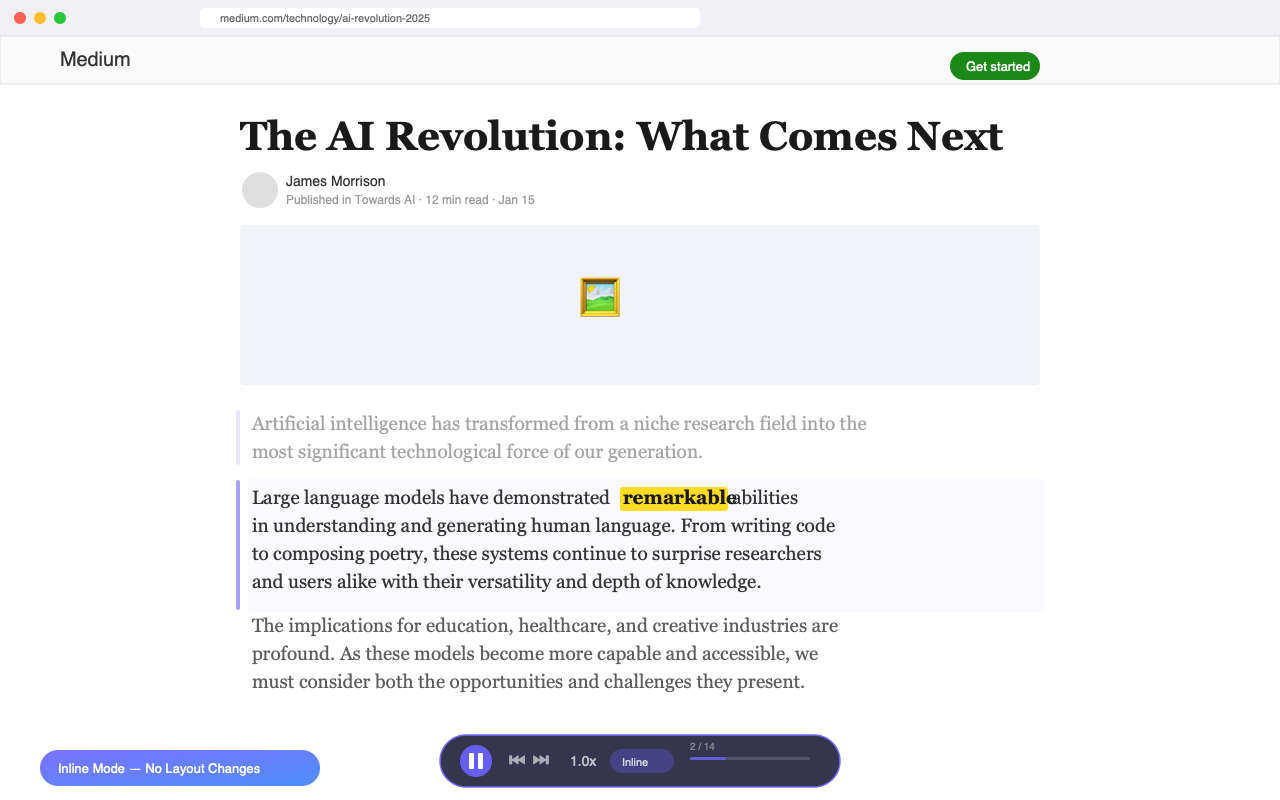
Overlay mode gives you a clean, distraction-free reader. Inline mode highlights words directly on the original page.
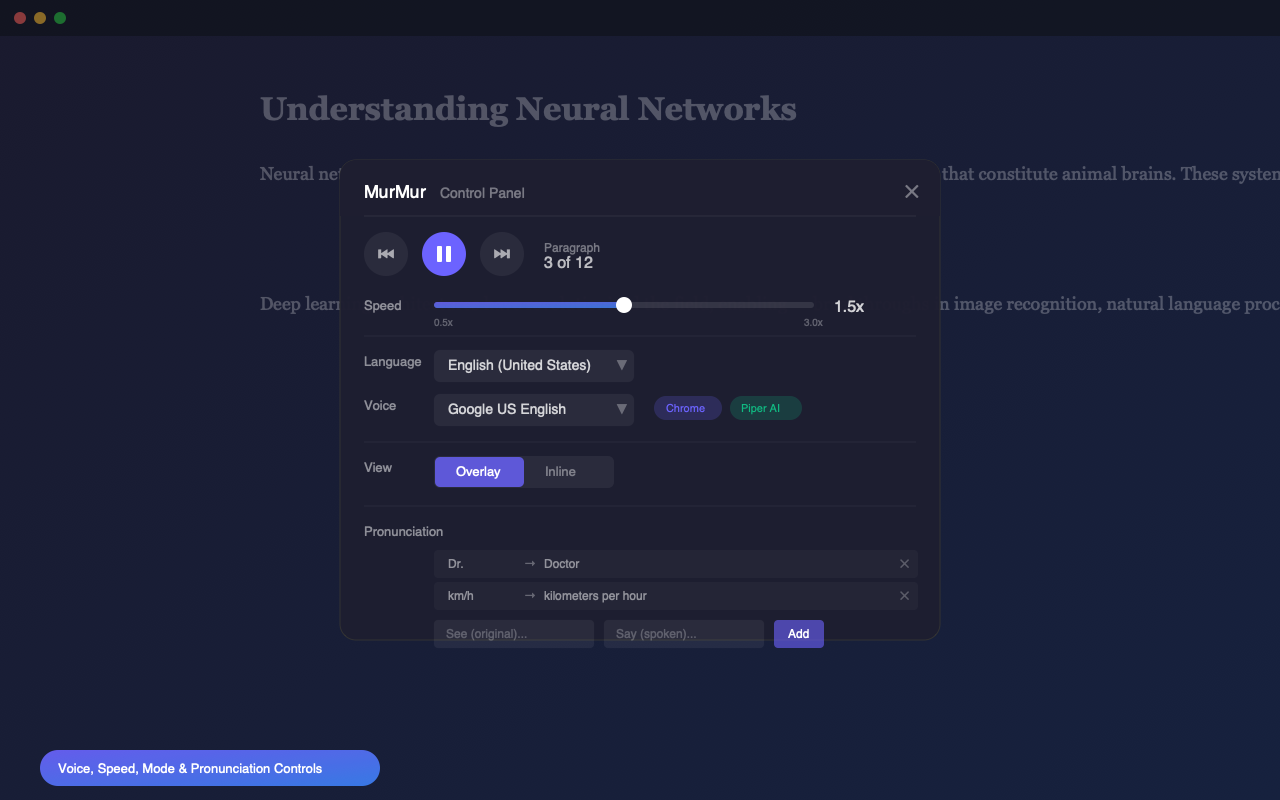
Hundreds of natural-sounding Piper AI voices run entirely in your browser via WebAssembly. No data leaves your machine.
From English and Spanish to Icelandic and Swahili. MurMur auto-detects the page language and filters voices accordingly.
0.5x to 3x with natural pitch at every speed. Piper voices adjust at synthesis time so faster never sounds distorted.
Space to play/pause, arrows to navigate and adjust speed, Escape to close. No mouse needed.
Built-in rules for abbreviations, units, and citations. Add your own see-say rules and they sync across devices.
No account, no setup, no configuration. Install and go.
Add MurMur to Chrome from the Web Store. It takes two seconds and no account is needed.
Navigate to an article, blog post, documentation page, or Google Doc you want to listen to.
Click the MurMur icon or press Alt+Shift+R. The article is extracted and reading begins with word-by-word highlighting.
Clean reader overlay, inline highlighting, full control panel, and Google Docs integration.
Navigate, adjust speed, and control playback without reaching for the mouse.
| Shortcut | Action |
|---|---|
| Alt + Shift + R | Toggle MurMur on/off |
| Space | Play / Pause |
| ← | Previous paragraph |
| → | Next paragraph |
| ↑ | Increase speed |
| ↓ | Decrease speed |
| Esc | Close MurMur |
MurMur is built on a simple principle: your browsing data never leaves your browser.
Install and start using immediately. No sign-up, no email, no login.
MurMur doesn't track, store, or transmit any of your browsing or reading data.
Piper AI voices run entirely in your browser using WebAssembly. Nothing is sent to external servers.
Only requests what's strictly necessary: active tab access, TTS, and local storage for your preferences.
Free, private, and works on any page. Install MurMur in seconds.
Add to Chrome — Free